 USD
USD EUR
EUR GBP
GBP CAD
CAD AUD
AUD HKD
HKD JPY
JPY KRW
KRW SGD
SGD NZD
NZD THB
THB TWD
TWD 繁體中文
繁體中文 日本語
日本語 한국어
한국어 English


By Smart TV Box | 27 April 2026 | 0 Comments
What Is an Android TV Box? Turn Any TV into a Smart TV (2026 Guide)

In 2026, most televisions come with built-in smart features—but what if your TV isn’t one of them? Instead of spending hundreds of dollars on a brand-new smart TV, there’s a smarter, more affordable solution: an Android TV Box.
With a simple plug-and-play setup, you can instantly upgrade your existing television into a powerful entertainment hub—unlocking streaming apps, live TV, games, and more.
In this guide, we’ll explain what an Android TV Box is, how it works, and why it’s one of the best upgrades for your home entertainment system.
What Is an Android TV Box?
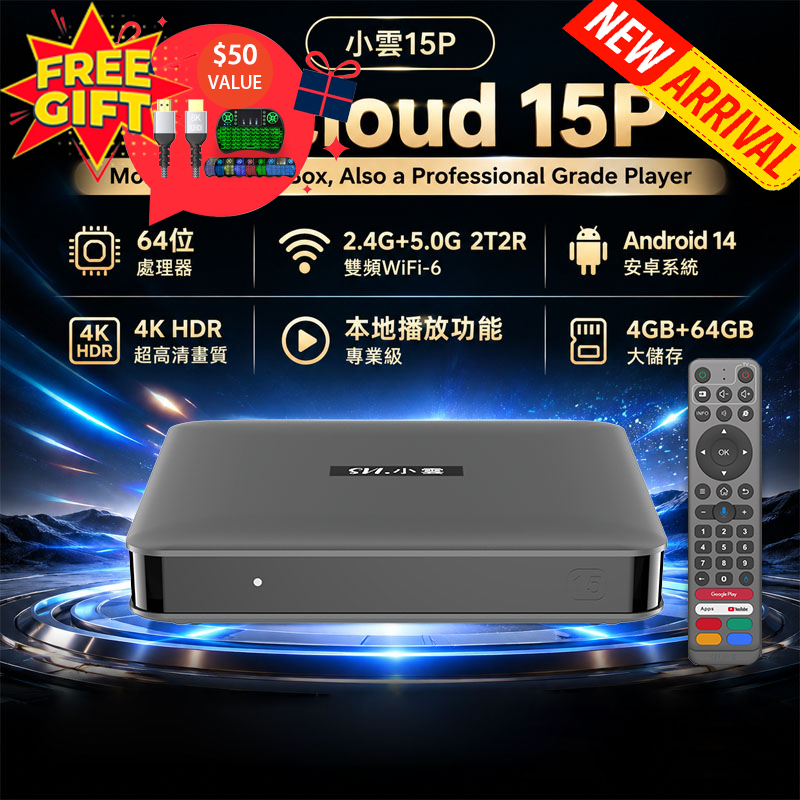
An Android TV Box is a compact device that connects to your television via HDMI and runs on the Android operating system—just like a smartphone or tablet.Once connected, it transforms your regular TV into a fully functional smart TV.
What can it do?
✅Stream movies and TV shows✅Watch live international channels
✅Download apps from the Google Play Store
✅Browse the internet
✅Play games
✅Access personal media files (USB / external drive)
Think of it as a mini-computer for your TV—bringing endless content directly to your big screen.
Key Benefits of an Android TV Box
1. Access to Thousands of Apps
With built-in access to the Google Play Store, you can install popular apps like:Netflix
YouTube
Prime Video
Disney+
Spotify
2. Stunning Performance & Modern Features
Many modern Android boxes (like SmartTVBox’s latest models) support:✅6K / 8K Ultra HD resolution
✅H.265 decoding (better compression, smoother playback)
✅Wi-Fi 6 for faster streaming
✅Bluetooth connectivity
✅Chromecast & screen mirroring
This ensures a smooth, high-quality viewing experience.
3. Cost-Effective Upgrade
Why replace your entire TV when you can upgrade it for a fraction of the cost?An Android TV Box:
➡️Saves money
➡️Extends the life of your current TV
➡️Adds the latest smart features instantly
4. Customizable Experience
Unlike traditional smart TVs, Android boxes give you full control:Customize your home screen
Install only the apps you need
Add widgets and shortcuts
Personalize your viewing experience
5. Entertainment Beyond Streaming
It’s not just about movies and shows.With an Android TV Box, you can also:
➡️Play Android games
➡️Use cloud gaming services
➡️Connect game controllers
➡️Stream music and photos

How to Turn Your TV into a Smart TV (Step-by-Step)
Step 1: Choose the Right Android TV Box
Select a model based on your needs:Basic use → streaming & apps
Advanced use → 6K/8K, gaming, faster performance
? SmartTVBox.com offers a range of options, including the powerful Leap series, designed for smooth global streaming.
Step 2: Connect to Your TV
Plug the Android Box into your TV via HDMIConnect power adapter
Connect to Wi-Fi or Ethernet
Step 3: Set Up the Device
Turn on your TV and select the HDMI inputFollow on-screen instructions
Sign in to your Google account
Step 4: Install Your Favorite Apps
Download apps directly from the Google Play Store or APP market.Streaming platforms
Live TV apps
Media players
Step 5: Start Watching
That’s it! Your TV is now fully upgraded.Enjoy movies, live channels, apps, and more—on the big screen.
Why Choose SmartTVBox.com?
At SmartTVBox.com, we focus on delivering high-performance Android TV boxes designed for global users.What makes us different?
Easy plug-and-play setup
Powerful hardware for smooth streaming
Pre-optimized system for better performance
Excellent customer support
Ideal for international content lovers
An Android TV Box is one of the easiest and most affordable ways to upgrade your home entertainment setup.
Whether you want to stream movies, watch live TV, or explore apps on a bigger screen—this small device delivers a big experience.


