 USD
USD EUR
EUR GBP
GBP CAD
CAD AUD
AUD HKD
HKD JPY
JPY KRW
KRW SGD
SGD NZD
NZD THB
THB TWD
TWD 繁體中文
繁體中文 日本語
日本語 한국어
한국어 English


DIGIBOX D6 MAX Global TV Channels, Apps, Features & Is It Worth Buying?
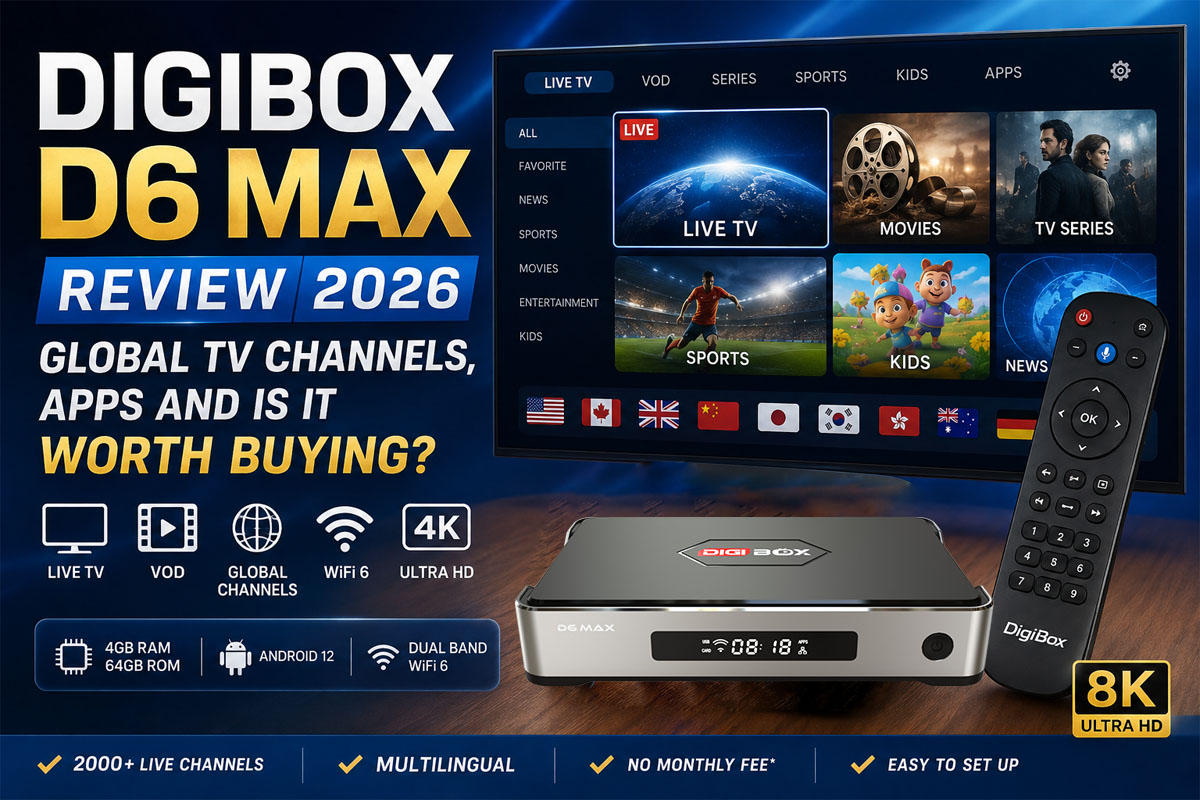
As streaming continues to replace traditional cable and satellite television, more users are looking for a simple and affordable way to access international live TV, movies, sports, and on-demand entertainment.
The DIGIBOX D6 MAX has quickly become one of the most popular Android TV Boxes in 2026 thanks to its powerful hardware, extensive channel selection, and easy-to-use interface.
But is the DIGIBOX D6 MAX really worth buying? What channels can you watch? Which apps are included? And how does it compare with other popular TV boxes such as UBOX and EVPAD?
In this comprehensive DIGIBOX D6 MAX review, we'll explore everything you need to know before making your purchase.
Table of Contents
- What Is DIGIBOX D6 MAX?
- DIGIBOX D6 MAX Specifications
- What Channels Can You Watch?
- DIGIBOX D6 MAX Apps
- How to Set Up DIGIBOX D6 MAX
- Pros and Cons
- Is DIGIBOX D6 MAX Worth Buying?
- Frequently Asked Questions
What Is DIGIBOX D6 MAX?
The DIGIBOX D6 MAX is a premium Android TV Box designed for users who want access to international television, movies, sports, and streaming entertainment from a single device.
Unlike traditional cable TV services that require monthly subscriptions and regional contracts, the D6 MAX uses your internet connection to provide access to live channels, video-on-demand content, and popular entertainment applications.
Whether you live overseas, have a multilingual household, or simply want more entertainment choices, the DIGIBOX D6 MAX offers a convenient all-in-one solution.
Key Highlights
✅ International Live TV Channels
✅ Movies & TV Shows On Demand
✅ Android 12 Operating System
✅ Voice-Control Air Mouse Remote
✅ WiFi 6 & Gigabit Ethernet
✅ 4GB RAM + 64GB Storage
✅ 4K HDR & 8K Video Support
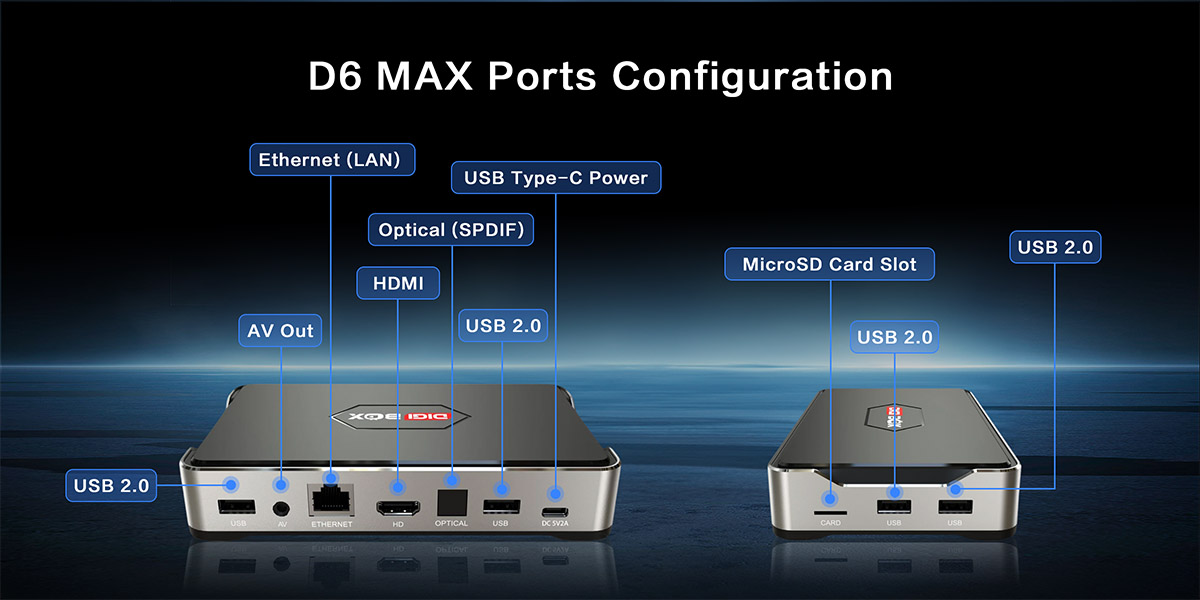
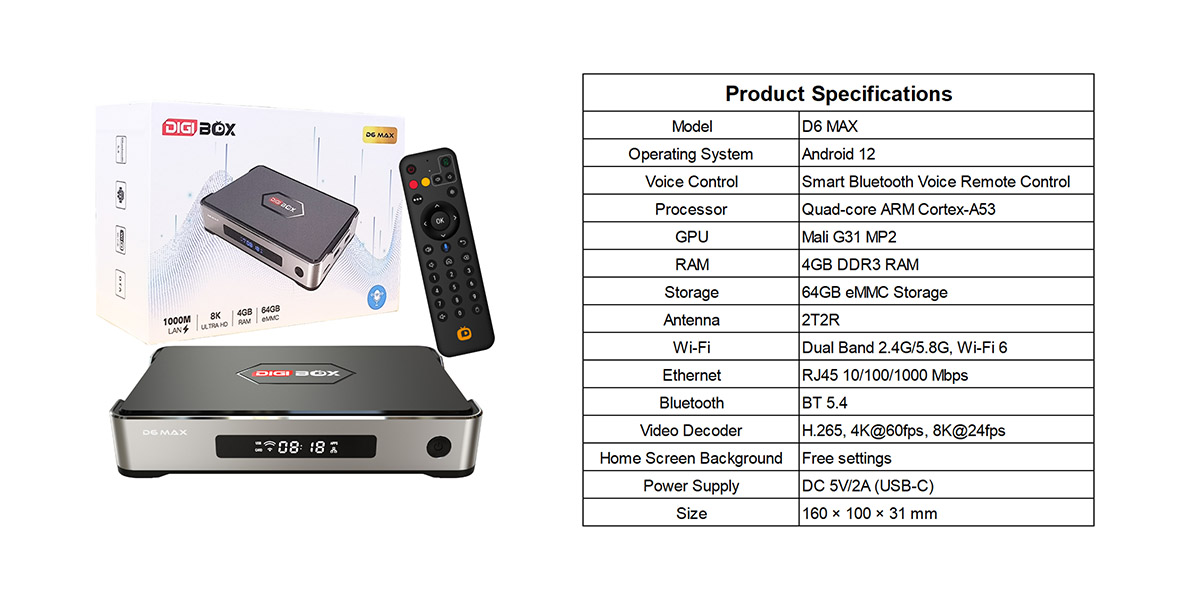
DIGIBOX D6 MAX Specifications
The D6 MAX features upgraded hardware designed to deliver smooth streaming performance and fast app loading.
| Specification | Details |
|---|---|
| Operating System | Android 12 |
| Processor | Quad-Core ARM Cortex-A53 |
| GPU | Mali-G31 MP2 |
| RAM | 4GB DDR3 |
| Storage | 64GB eMMC |
| WiFi | Dual-Band WiFi 6 |
| Ethernet | Gigabit LAN |
| Bluetooth | Bluetooth 5.4 |
| Video Output | 4K@60fps, 8K@24fps |
| Video Decoding | H.265 |
| Remote | Bluetooth Voice Air Mouse |
| Power Supply | USB-C |
With Android 12 and WiFi 6 support, the DIGIBOX D6 MAX delivers faster performance, improved connectivity, and smoother video playback compared to older TV box generations.
What Channels Can You Watch on DIGIBOX D6 MAX?
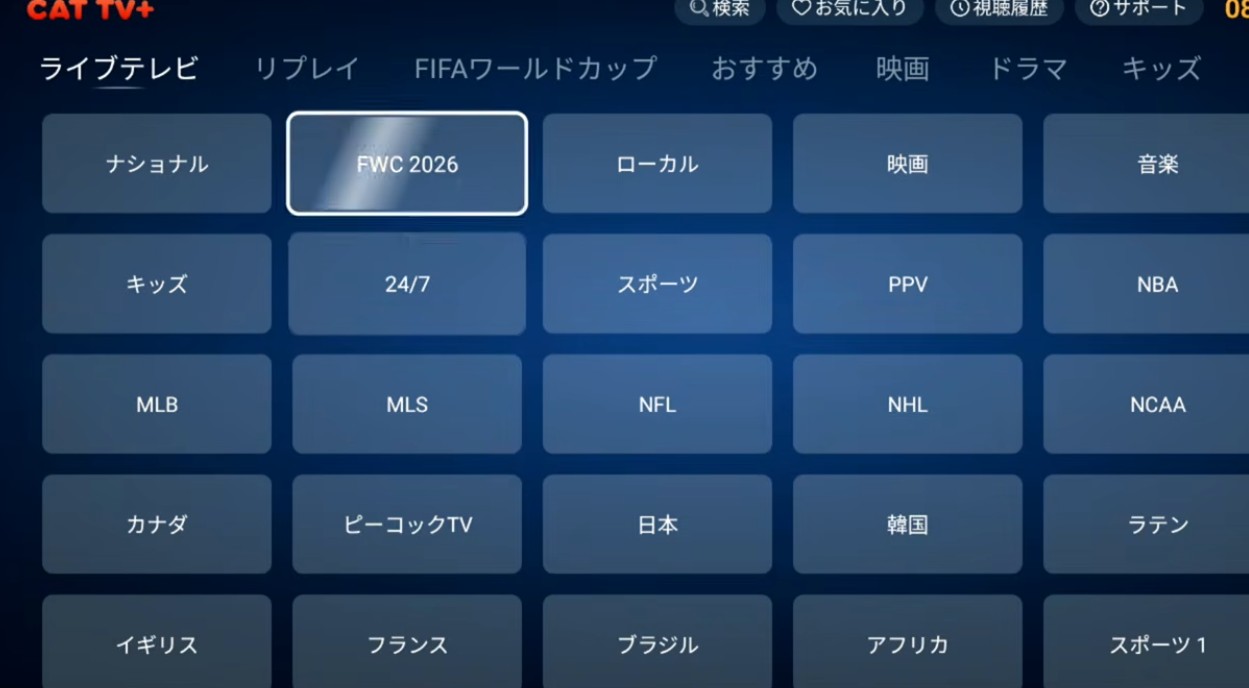
One of the biggest reasons users choose the DIGIBOX D6 MAX is its extensive collection of international live television channels.
According to DIGIBOX marketing materials, the platform provides access to over 2,000+ live TV channels worldwide. Actual availability may vary depending on region, software version, and content licensing.
International News Channels
Stay updated with global events through a wide selection of news channels covering:
- North America
- Europe
- Asia
- Australia
- International Business News
- Regional Current Affairs
This is especially useful for expatriates and overseas families who want access to news from their home countries.
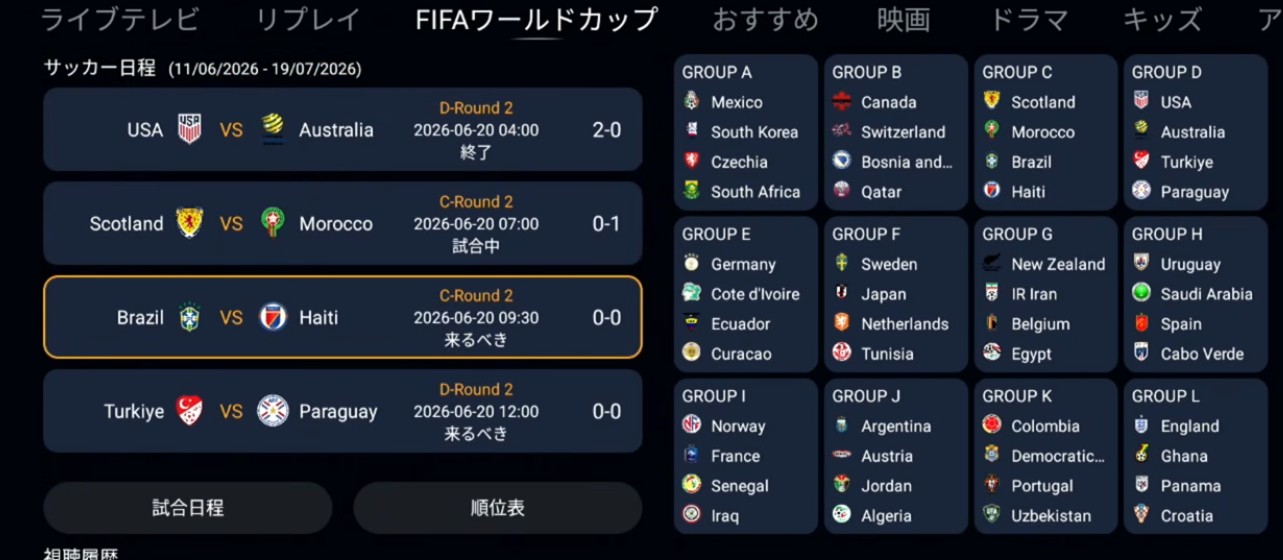
Sports Channels
Sports fans can enjoy access to a variety of live sporting content, including:
- Football (Soccer)
- Basketball
- Tennis
- Motorsports
- Baseball
- International Sporting Events
For the best live sports experience, a stable high-speed internet connection is recommended.
Using Gigabit Ethernet instead of WiFi can significantly improve streaming stability during major live events.
Movies & Entertainment Channels
DIGIBOX D6 MAX also offers a wide variety of entertainment programming:
- Hollywood Movies
- Asian Dramas
- Variety Shows
- Reality TV
- Family Entertainment
- Children's Programming
The diverse content selection makes it suitable for the entire family.
Regional & Multilingual Channels
One of DIGIBOX's strongest advantages is support for viewers seeking content from different regions and languages.
Depending on service availability, users may access content related to:
- USA
- Canada
- United Kingdom
- Europe
- China
- Hong Kong
- Taiwan
- Japan
- Korea
- Southeast Asia
Before Buying: Important Checks
Before purchasing any IPTV-based TV box, always verify:
| Check Item | Why It Matters |
| Channel List | Confirm your favorite channels are included |
| Regional Availability | Some channels may be geo-restricted |
| Internet Speed | Stable broadband improves streaming quality |
| Seller Support | Ensure warranty and technical support are available |
| Firmware Updates | Long-term updates improve reliability |
DIGIBOX D6 MAX Apps
Beyond live TV channels, the D6 MAX includes a collection of entertainment apps designed to expand your viewing experience.
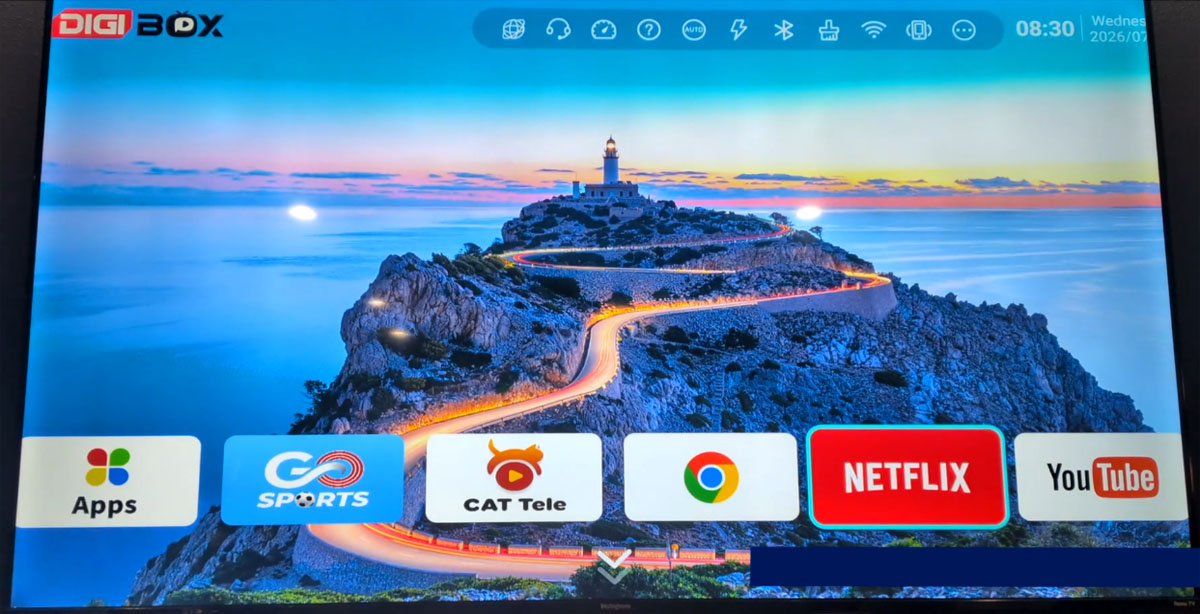
CAT LIVE
CAT LIVE serves as one of the primary live television applications.
Features include:
- Category-based channel browsing
- TV-friendly interface
- Fast channel switching
- Global content organization
CAT TV Plus
CAT TV Plus offers additional live channel resources and serves as a supplementary viewing platform for international programming.
CAT Tele
CAT Tele focuses on multilingual content and regional television programming, helping overseas users access familiar content from their home countries.
J-CAT VOD
For users who prefer on-demand viewing, J-CAT VOD provides access to:
- Movies
- TV Series
- Anime
- Variety Shows
- Family Entertainment
- Kids Content
Unlike traditional television schedules, viewers can watch content whenever they choose.
Go Sports
Sports enthusiasts can use Go Sports to access dedicated sports programming through a TV-friendly interface optimized for large-screen viewing.
Third-Party Streaming Apps
Because DIGIBOX D6 MAX runs Android 12, users can install many popular streaming applications, including:
- YouTube
- Netflix
- Prime Video
- Disney+
- Spotify
- Browser Applications
App compatibility and playback quality may vary depending on certification requirements and regional restrictions.
How to Set Up DIGIBOX D6 MAX
Getting started with DIGIBOX D6 MAX takes only a few minutes.
Step 1
Connect the TV box to your television using the included HDMI cable.
Step 2
Connect the power adapter and turn on the device.
Step 3
Select the correct HDMI input on your TV.
Step 4
Connect to your WiFi network or Ethernet connection.
Step 5
Complete the initial setup and install any available system updates.
Step 6
Launch your favorite apps and start streaming.
Most users can complete setup within 5–10 minutes.
DIGIBOX D6 MAX Pros and Cons
Advantages
✔ Large selection of international channels
✔ Video-on-demand entertainment
✔ Android 12 operating system
✔ Powerful 4GB RAM + 64GB storage
✔ WiFi 6 and Gigabit Ethernet
✔ Voice-control air mouse remote
✔ Family-friendly interface
✔ No traditional cable subscription required
Is DIGIBOX D6 MAX Worth Buying in 2026?
For users seeking a powerful Android TV Box with access to international live television, movies, sports, and on-demand entertainment, the DIGIBOX D6 MAX remains one of the strongest options available in 2026.
It is particularly suitable for:
- Overseas Chinese families
- International households
- Multilingual viewers
- Sports enthusiasts
- Users looking to reduce traditional cable costs
With Android 12, WiFi 6, 64GB storage, global channel access, and a user-friendly interface, the DIGIBOX D6 MAX offers excellent value for users who want a complete home entertainment solution.
If you're comparing different TV boxes before purchasing, you may also want to explore comparisons between DIGIBOX D6 MAX, UBOX 12 Pro, EVPAD 12P, and SviCloud TV Boxes to determine which model best fits your viewing preferences.
Frequently Asked Questions
What is DIGIBOX D6 MAX?
DIGIBOX D6 MAX is an Android TV Box that provides access to live TV channels, on-demand entertainment, and streaming applications through an internet connection.
How many channels does DIGIBOX D6 MAX offer?
Marketing materials frequently reference more than 2,000 live TV channels. Actual channel availability may vary by region and service updates.
Does DIGIBOX D6 MAX require a monthly fee?
The hardware is typically purchased with a one-time payment. The software is free lifetime.
Can I watch Netflix and YouTube?
Yes. DIGIBOX D6 MAX supports popular streaming applications such as YouTube and Netflix, though functionality may vary depending on app certification and regional requirements.
Is DIGIBOX D6 MAX legal?
The legality of any TV box depends on how it is used, the content being accessed, and the laws of your country or region. Users should ensure they comply with local regulations and content licensing requirements.
What Internet Speed Is Recommended?
For smooth HD and 8K streaming, a stable broadband connection of at least 100 Mbps is recommended. Gigabit Ethernet is ideal for the most reliable viewing experience.


